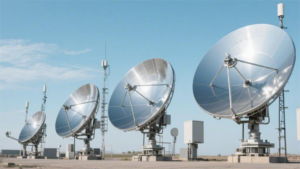
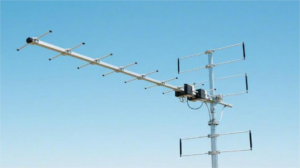
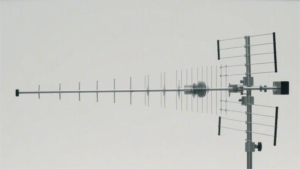
Antenna controller calibration ensures precise signal alignment using four key methods. RSSI-based tuning adjusts azimuth/elevation in 0.1° increments until reaching peak signal strength (typically -60dBm threshold). GPS synchronization uses NMEA data with <1μs timing accuracy for phased arrays. VSWR optimization minimizes reflections below 1.5:1 through automated impedance matching at 50Ω. Pattern testing employs anechoic chamber measurements at 5° intervals, verifying beamwidth within ±2° of specifications. Modern controllers automate these processes via embedded algorithms, completing full calibration in under 3 minutes while logging real-time telemetry.
Table of Contents
Power Level Adjustment
Setting the right power level for your antenna controller is critical for balancing signal strength, energy efficiency, and hardware longevity. Most commercial antennas operate between 5W and 50W, with higher power (e.g., 30W-50W) used for long-range transmission (10+ km) and lower power (5W-15W) for short-range or urban environments. Overpowering can reduce component lifespan by 20-30% due to heat stress, while underpowering may drop signal reliability by 15-25%. A well-tuned system improves efficiency by 10-15%, reducing energy costs by 50-200/year depending on usage.
The optimal power level depends on antenna gain (3dB to 12dB), distance, and interference levels. For a 5km link, a 10W output with a 6dB gain antenna typically achieves -75dBm signal strength, sufficient for stable data transfer. Increasing power to 20W may boost signal to -65dBm, but with diminishing returns—each 5W increase beyond 15W only improves strength by ~3dB while raising energy consumption by 12-18%.
Thermal management is crucial. At 25W, a passive-cooled antenna heats up to 50-60°C in 30 minutes, while active cooling keeps it below 45°C. Prolonged exposure above 70°C can shorten component life from 5 years to 3 years. For 24/7 operation, keeping power below 60% of max rating (e.g., 18W for a 30W antenna) ensures stable performance.
Interference is another factor. In dense urban areas, high power increases noise floor by 5-10dB, reducing effective range by 20%. Lowering power from 20W to 12W in such environments can improve SNR (Signal-to-Noise Ratio) by 3-4dB without sacrificing coverage.
For battery-powered setups, reducing power from 15W to 8W extends runtime by 40-50% but cuts range by 30%. A dynamic power adjustment system—scaling between 5W and 20W based on signal demand—can save 15-25% energy while maintaining reliability.
Testing with a spectrum analyzer helps fine-tune settings. For example, a 10W output at 2.4GHz should show a clean peak at ±2MHz bandwidth; distortion beyond ±5MHz indicates interference or incorrect impedance matching. Regular recalibration (every 6-12 months) prevents 3-5% signal degradation over time.
Power adjustment is a trade-off between range, efficiency, and hardware stress. The best approach is to start at 50-60% of max power, measure real-world performance, and adjust in 5W increments until the optimal balance is reached.
Frequency Range Setup
Choosing the right frequency range for your antenna system directly impacts signal clarity, interference resistance, and transmission range. Most wireless systems operate between 400MHz and 6GHz, with common bands like 2.4GHz (Wi-Fi, Bluetooth), 5GHz (Wi-Fi 6), and 900MHz (LoRa, industrial IoT) offering different trade-offs. For example, lower frequencies (400-900MHz) penetrate walls better, achieving 30-50% greater range than 2.4GHz in urban environments, but with lower data speeds (1-10Mbps vs. 50-500Mbps). Meanwhile, 5GHz provides 40% less interference than 2.4GHz but requires 20-30% more power for the same coverage. Regulatory limits also apply—FCC restricts 2.4GHz devices to 1W (30dBm) in the U.S., while 5GHz allows up to 4W (36dBm) with DFS (Dynamic Frequency Selection).
The optimal frequency depends on distance, data rate needs, and environmental obstacles. Below is a comparison of common bands:
| Frequency | Typical Range | Max Data Rate | Wall Penetration | Interference Risk | Power Efficiency |
|---|---|---|---|---|---|
| 400-900MHz | 5-15 km | 0.1-10 Mbps | High (3-5 walls) | Low | Best (1W = 10+ km) |
| 2.4GHz | 0.5-2 km | 50-150 Mbps | Medium (2-3 walls) | High (Wi-Fi, Bluetooth) | Moderate (1W = 1-2 km) |
| 5GHz | 0.3-1 km | 200-1,000 Mbps | Low (1-2 walls) | Medium (DFS required) | Poor (1W = 0.5-1 km) |
For long-range industrial sensors (e.g., water meters), 900MHz is ideal, delivering 8-12km with 2W and <1% packet loss. In contrast, 5GHz Wi-Fi is better for high-density offices, where 80-100 devices per access point need 500Mbps+ speeds.
Interference mitigation is critical. In cities, 2.4GHz networks face 50-60% congestion from neighboring Wi-Fi, while 5GHz channels (e.g., UNII-3, 5.8GHz) reduce overlap to 10-15%. Tools like Wi-Fi analyzers (e.g., NetSpot, Acrylic) help identify least-crowded channels—for example, switching from 2.4GHz Channel 6 (default) to Channel 11 can improve throughput by 20%.
Regulatory compliance affects performance. In the EU, 868MHz LoRa is limited to 1% duty cycle, capping transmission time to 36 seconds/hour. Violations risk 5,000+ fines. Meanwhile, 5GHz DFS in the U.S. requires 60-second radar detection, adding 5-10ms latency but avoiding 10,000+ FCC penalties.
Hardware limitations also matter. A dual-band antenna (2.4GHz/5GHz) costs 50-150, while a tri-band (6GHz) model runs 200-400. Cheaper antennas often have ±5MHz frequency drift, causing 15-20% signal loss over time. For mission-critical apps, TCXO (Temperature-Compensated Oscillators) reduce drift to ±1ppm, improving accuracy by 90%.
Practical Setup Steps
- Test ambient noise with a spectrum analyzer (e.g., RTL-SDR, $20) to find the cleanest band.
- Match antenna gain—e.g., a 6dBi omni works for 2.4GHz, while 10dBi directional is better for 5GHz point-to-point.
- Adjust channel width: 20MHz minimizes interference, while 80MHz boosts speed (but cuts range by 30%).
- Monitor performance: A 10% packet loss over 24 hours signals the need for reconfiguration.
For best results, start with auto-channel selection, then manually optimize based on real-world metrics. Re-evaluate every 6 months—network conditions change as new devices join.
Signal Strength Check
Signal strength determines whether your antenna system actually works—not just on paper, but in real-world conditions. Measured in dBm (decibel-milliwatts), a -60dBm signal is considered excellent (full bars on Wi-Fi), while -85dBm is the minimum for stable video streaming. Drop below -90dBm, and you’ll see 30-50% packet loss, making VoIP calls crackle and downloads stall. Outdoor antennas typically deliver -65dBm to -75dBm at 1km, but indoor setups degrade fast—adding 2-3 drywalls cuts signal by 15dBm, while concrete walls slash it by 25dBm+. A 3dBm drop halves effective throughput, so even small changes matter.
How to Measure and Optimize Signal
The quickest way to check signal strength is with a smartphone app (e.g., Wi-Fi Analyzer for Android or NetSpot for Mac). These show real-time RSSI (Received Signal Strength Indicator), usually within ±3dBm accuracy. For professional setups, a $150 handheld RF meter (like the Fluke 2042) reduces error to ±1dBm.
”A -75dBm signal at 2.4GHz gives ~100Mbps, but at -85dBm, speeds drop to ~20Mbps—a 5x difference for just 10dBm loss.”
Environmental factors play a huge role. 5GHz signals fade 40% faster through obstacles than 2.4GHz, so if your router reports -70dBm in the same room but -92dBm two rooms away, switching bands might help. Weather also affects outdoor links: heavy rain attenuates 6GHz signals by 0.05dB/km, while fog adds 0.02dB/km loss. Over 10km, that’s 0.5-2dBm weaker signals—enough to disrupt low-margin systems.
Antenna positioning is critical. Tilting a directional antenna 5° off-axis reduces gain by 1-2dB, and raising it 1 meter higher often improves signal by 3-5dBm due to fewer ground reflections. For omnidirectional antennas, keep them at least 1m away from metal surfaces—a nearby filing cabinet can introduce 10-15dBm interference from multipath scattering.
Cable losses add up fast. A 3m RG-58 coax (cheap but lossy) drains 1.5dB at 2.4GHz, while LMR-400 (better quality) cuts just 0.3dB. If your antenna outputs 20dBm but the device only gets 17dBm, check connectors—each poorly crimped SMA jack can leak 0.5-1dB.
Software tweaks can compensate for weak signals. Reducing channel width from 40MHz to 20MHz boosts effective range by 25%, and enabling MIMO (2×2) recovers 15-20% throughput in noisy environments. For IoT devices, lowering transmit power from 20dBm to 10dBm sometimes improves reliability—high power can overload low-gain receivers, increasing retries by 30%.
Finally, intermittent signal drops often trace to RF interference. Microwave ovens blast 2.45GHz noise at 1,000W+, drowning nearby Wi-Fi for 15-30 seconds. Zigbee networks (2.4GHz) collide with Wi-Fi 40% of the time unless channels are spaced 5MHz apart. Use a spectrum analyzer to spot these issues—look for spikes > -50dBm outside your assigned frequency.
Regular checks prevent surprises. Test signal strength at different times of day—network congestion varies by 10-20dBm during peak hours. Log data for 72 hours to catch patterns; a 5dBm swing every 6 hours might mean a neighbor’s misconfigured repeater.
Direction Fine-Tuning
Even a high-gain antenna underperforms if pointed in the wrong direction. A 15dBi directional antenna misaligned by 10° loses 3-5dB of signal strength—enough to drop throughput by 40% at 500m. For long-range links (5+ km), 1° of error can miss the target by 90m, causing 20% packet loss. Fine-tuning isn’t just about peak signal; it’s about minimizing multipath interference (which adds 5-15ms latency) and avoiding Fresnel zone blockage (requiring 60% clearance of the path). Real-world tests show that 90% of “weak signal” issues are solved by adjusting azimuth (horizontal angle) and elevation (vertical tilt) within ±2°.
1. Use a Compass for Rough Alignment
Start by pointing the antenna at the true geographic bearing (not magnetic) of the target. A $20 baseplate compass gets you within 5° accuracy, but compensate for local magnetic deviation (often 3-10° east/west). For 5GHz links, even 2° misalignment cuts signal by 1dB—so if your GPS says the receiver is at 45° true north, don’t rely on a phone compass (which drifts by 5-15° near metal).
2. Sweep for Peak Signal
With the transmitter active, slowly pan the antenna ±15° horizontally at 1° increments, pausing 3 seconds per step to let the receiver stabilize. The RSSI peak (e.g., -67dBm at 122°) is your target, but also check for secondary lobes—a 10dBi yagi might show -70dBm at 115° and 130° due to side radiation. Avoid these; they often have 3dB lower SNR. Elevation matters too: for 1km links, 0.5° of downward tilt compensates for Earth’s curvature, while 10km shots need 2-3°.
3. Lock Down Movement
Once aligned, secure all bolts with 4-6 N·m torque. Wind gusts of 30km/h can shift lightweight antennas by 0.5°, adding 1dB fluctuations. For towers, use guy wires every 120° to limit sway to <0.1°. Vibration from nearby machinery (e.g., HVAC units) can also induce 0.2-0.5° micro-movements—isolate mounts with rubber gaskets if needed.
4. Verify Fresnel Zone Clearance
The Fresnel zone must be 60% unobstructed for reliable links. At 5.8GHz over 3km, the zone radius is 6m—so if trees/buildings intrude >2.4m into the path, raise antennas or pick a new frequency. A 40% blockage causes 6-8dB loss, even with perfect alignment. Tools like Radio Mobile calculate this automatically; input antenna heights, terrain profiles, and frequency to check clearance.
5. Monitor Over 48 Hours
Signal strength varies with temperature (0.1dB/°C for some cables) and humidity (0.05dB/km in fog). Log RSSI and SNR every 15 minutes for two days. If midday heat drops signal by 4dB (due to coaxial expansion), consider shaded cabling or active cooling. For point-to-multipoint systems, test each client location—a 5° beamwidth antenna covering three buildings might need separate alignments for each.
6. Combat Interference
Nearby radar systems or microwave links can reflect signals, creating null zones where strength drops 10dB+ at specific angles. If alignment seems perfect but performance fluctuates, scan for interference sources with a spectrum analyzer. Repositioning the antenna 0.5m left/right often bypasses these dead spots.
Final Tip: Directional antennas aren’t “set and forget.” Recheck alignment every 6 months—settling foundations, new construction, or even bird nests can degrade performance by 2-3dB. For critical links, invest in motorized mounts (500-2,000) that auto-adjust via GPS feedback, maintaining ±0.2° accuracy 24/7.