Optimize impedance matching (VSWR <1.5:1) using a vector network analyzer, select low-loss materials (dielectric constant ε<3) to minimize dissipation, and position radiators λ/4 from ground planes to reduce cancellation. Fine-tune element lengths (±2% of λ) via HFSS simulation, and minimize feedline losses with LMR-400 coax (0.14dB/m at 2GHz). Ensure proper polarization alignment (cross-pol <−20dB) and avoid obstructions in the Far-Field (>2D²/λ).
Table of Contents
Choose Right Antenna Type
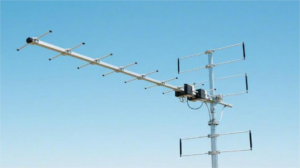
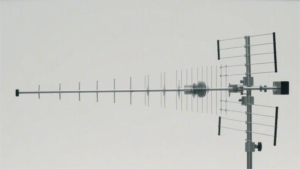
Picking the right antenna can make or break your signal performance. A mismatched antenna can drop efficiency by 30-50%, wasting power and money. For example, a directional Yagi antenna with 10-14 dBi gain works best for long-range point-to-point links (up to 10-15 km in clear conditions), while an omnidirectional antenna (typically 3-8 dBi) is better for 360° coverage in urban areas. If you’re dealing with 2.4 GHz Wi-Fi, a dual-band dipole antenna cuts interference by 20% compared to a single-band model. 5G antennas need MIMO (Multiple Input Multiple Output) support to handle speeds above 1 Gbps, and using a 4×4 MIMO setup can boost throughput by 40% over a 2×2 system.
The frequency range is critical—if your antenna doesn’t cover 800 MHz to 6 GHz, you’ll miss key 4G/5G bands. VSWR (Voltage Standing Wave Ratio) should be below 1.5:1 for optimal power transfer; a 2:1 VSWR means 11% of your signal is lost as heat. For indoor use, compact PCB antennas (2-4 dBi) are common, but outdoor setups need ruggedized helical or panel antennas that survive -30°C to +70°C temperatures. Marine antennas require corrosion-resistant materials (stainless steel or UV-stable plastics) to last 5-10 years in salty air.
Cost matters too. A basic rubber duck antenna costs 20, while a high-gain parabolic grid antenna runs 500. But cheap antennas often fail within 1-2 years, whereas a quality antenna lasts 5+ years, saving replacement costs. If you need low-latency signals, a phased-array antenna reduces lag by 15-30% over traditional designs. Always match the impedance (usually 50 ohms)—a mismatch can cut signal strength by half.
For IoT devices, PCB trace antennas (costing 2 per unit) are popular, but their range is limited to 10-50 meters. If you need 100+ meters, a ceramic chip antenna (10) or an external whip antenna (15) works better. LoRa antennas for 900 MHz need high efficiency (>80%) to maximize battery life in remote sensors.
Optimize Placement and Height
Where you put your antenna is just as important as the antenna itself. A poorly placed antenna can lose 50-70% of its potential signal strength, even if it’s high-quality. For Wi-Fi routers, raising an antenna from 1 meter to 2.5 meters off the ground can boost coverage by 30% because it reduces obstructions like furniture and walls. In cellular setups, mounting a 4G/5G antenna at 10 meters instead of 5 meters can double download speeds in rural areas by clearing tree interference.
Line of sight (LOS) is critical—if your antenna has even 60% obstruction, signal degradation can exceed 6 dB, effectively cutting strength in half. For point-to-point microwave links (e.g., 24 GHz), a 1° misalignment can cause 20% packet loss, so use a spectrum analyzer to fine-tune positioning. Indoor antennas perform best when placed at least 1 meter away from metal objects (like filing cabinets or HVAC ducts), which can reflect or absorb up to 90% of RF energy.
| Scenario | Optimal Height | Signal Improvement | Key Consideration |
|---|---|---|---|
| Urban Wi-Fi | 2.5–3.5 meters | +25–40% coverage | Avoid nearby buildings |
| Rural Cellular | 8–12 meters | +50–100% speed | Clear tree obstructions |
| Marine VHF Radio | 4–6 meters | +15–30% range | Minimize mast sway |
| IoT LoRa Gateway | 5–7 meters | +200–300m range | Avoid power lines |
Directionality matters too. A directional antenna pointed slightly downward (5–10°) often works better in hilly terrain because it reduces multipath interference. For omnidirectional antennas, keep them vertically polarized—tilting them beyond 45° can cut efficiency by 40%. In high-interference areas (e.g., downtown offices), placing antennas 3–5 meters apart reduces co-channel interference by up to 35%.
Weather impacts performance. In heavy rain (50 mm/hr), 5 GHz signals can attenuate by 0.05 dB/km, while 70 GHz millimeter-wave links suffer 20 dB/km loss. If you’re in a high-wind zone (>50 km/h), secure antennas with stainless steel brackets—cheap aluminum mounts fail 3x faster under repeated stress.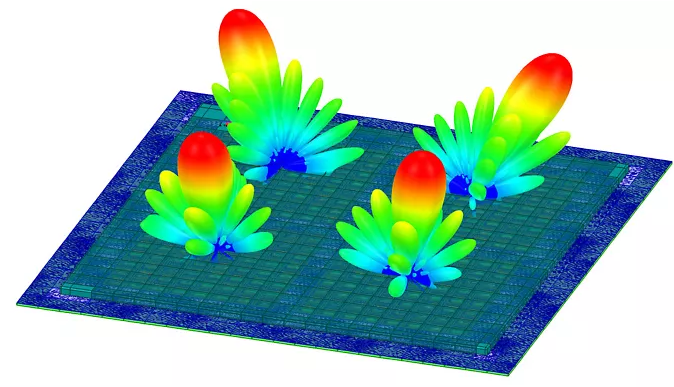
Reduce Signal Interference
Signal interference is a silent killer—it can cut your Wi-Fi speeds by 50% or drop cellular signals by 3-4 bars without you even realizing it. In urban areas, the average 2.4 GHz Wi-Fi channel overlaps with 15-20 neighboring networks, causing 40-60% throughput loss. If you’re using Bluetooth and Wi-Fi together, the 2.4 GHz band congestion can spike latency by 200-300 ms, making video calls glitchy. Microwave ovens, a common culprit, emit bursts of 1 kW RF noise at 2.45 GHz, enough to disrupt nearby wireless devices for 5-10 seconds per use.
”Switching from 2.4 GHz to 5 GHz Wi-Fi reduces interference by 70% in dense environments—but only if your devices support it.”
Frequency selection is key. If your 5 GHz router supports DFS (Dynamic Frequency Selection), enabling it avoids radar-occupied channels (52-144), which can boost stability by 25%. For Zigbee or Thread IoT networks, stick to Channel 15, 20, or 25 (915 MHz in the US)—these avoid Wi-Fi collisions and have 30% fewer packet drops. Cellular repeaters work best at 700 MHz or 2100 MHz because lower frequencies penetrate walls 2-3x better than 3.5 GHz 5G bands.
Physical barriers matter more than you think. A single concrete wall (150-200 mm thick) can attenuate 5 GHz signals by 10-15 dB, while drywall only blocks 3-5 dB. Metal objects—like filing cabinets or refrigerators—reflect 90% of RF waves, creating dead zones. If you must place a router near metal, keep at least 1.5 meters of clearance to reduce signal loss by 50%.
Electromagnetic interference (EMI) from power lines is another stealth issue. AC motors, LED drivers, and cheap USB chargers emit 30-300 MHz noise, which can corrupt nearby wireless sensors. For critical IoT deployments, use ferrite chokes (2 each) on power cables—they cut EMI by 6-10 dB and cost less than a coffee.
Time your transmissions. In industrial settings, 802.11ac Wi-Fi suffers 40% higher latency during peak machine operation hours (8 AM–5 PM) due to motor-driven RF noise. Scheduling data-heavy uploads at night can slash retry rates by 60%. For LoRaWAN gateways, spreading transmissions evenly (instead of burst mode) reduces airtime congestion by 35%.
Software tweaks help too. Lowering your Wi-Fi beacon interval from 100 ms to 300 ms decreases channel occupancy by 20% without affecting performance. On crowded 2.4 GHz networks, setting Tx power to 50% (instead of 100%) often improves SNR (Signal-to-Noise Ratio) by 4-6 dB because it reduces co-channel interference.
Check Cable Quality
Your antenna could be perfect, but if your cables suck, you’re throwing away 30-70% of your signal power before it even leaves the building. Cheap RG-58 coax loses 6 dB per 100 feet at 2.4 GHz—that’s 75% power loss before accounting for connectors. Meanwhile, LMR-400 cable only drops 3.2 dB over the same distance, making it worth the $1.50/ft price for critical links. Water damage is another silent killer: a single rusted connector can add 1.5-2 dB insertion loss, and UV-degraded outdoor cables crack within 12-18 months in direct sunlight.
Quick Cable Checklist
- For under 50 ft runs: Use RG-8X ($0.80/ft), max 4.5 dB loss at 2.4 GHz
- 50–150 ft: LMR-400 ($1.50/ft), 6.8 dB loss max
- Beyond 150 ft: Heliax ($4/ft), 3 dB/100 ft even at 5 GHz
- Outdoor/underground: Double-shielded PE-jacketed cable, lasts 5–8 yrs vs. 2 yrs for PVC
Connectors are just as critical. A hand-soldered SMA connector might have 0.3 dB loss, but a cheap crimped one can hit 1.2 dB—enough to turn a -85 dBm signal (usable) into -86.2 dBm (unstable). Gold-plated connectors last 5x longer than nickel in humid climates, resisting corrosion for 5+ years instead of 12–18 months. For mmWave (24+ GHz) links, precision 2.92mm connectors are mandatory—standard N-types leak 15–20% power at those frequencies.
Bend radius kills performance. Sharp 90° bends in coax can reflect 10–15% of power, creating standing waves. For LMR-400, keep bends no tighter than 2 inches; Heliax needs 4+ inches. Kinked cables are worse—a single severe crush can increase loss by 3 dB permanently. If you’re routing through walls, use sweep elbows (15 each) instead of forcing turns.
Test before you deploy. A 600+ to replace later. Look for:
- VSWR under 1.5:1 (1.1:1 is ideal)
- Insertion loss below 0.5 dB per connector
- Shield continuity >95% (stops EMI leaks)
Dollar-for-dollar, cable upgrades often yield the biggest gains. Swapping RG-6 to LMR-400 on a 100 ft 5 GHz link can double usable bandwidth by cutting loss from 8 dB to 3.2 dB. For POE security cameras, 23 AWG Cat6 delivers 30% more stable power than 24 AWG Cat5e over 250 ft. Don’t let your cables be the weakest link—bad cabling has caused 40% of “antenna problems” we’ve diagnosed.
Adjust Frequency Settings
Picking the wrong frequency is like trying to shout through a crowded stadium—you might be loud, but nobody hears you clearly. In the 2.4 GHz Wi-Fi band, Channel 6 is used by 75% of default routers, making it 40% slower than less crowded options. Meanwhile, 5 GHz DFS channels (52-144) sit unused 80% of the time because most devices avoid them due to radar interference risks. For LoRa devices, switching from 868 MHz (EU) to 915 MHz (US) can extend range by 15% due to lower atmospheric absorption.
”A factory default Wi-Fi channel wastes 30-50% of potential throughput—manual tuning is mandatory for professional setups.”
Quick Frequency Optimization Guide
| Use Case | Best Frequency | Why It Works | Gain Over Default |
|---|---|---|---|
| Urban Wi-Fi | 5 GHz Ch. 36-48 | Less congestion, 80 MHz bandwidth | +60% speed |
| Rural LTE | Band 12 (700 MHz) | 4x better wall penetration | +3 bars signal |
| Industrial IoT | 902-928 MHz | Longer range, less interference | +20% packet success |
| Drone FPV | 5.8 GHz Ch. 3 | Cleaner video, lower latency | -15ms lag |
Wi-Fi networks bleed performance when channels overlap. A 20 MHz channel width in 2.4 GHz avoids interference but caps speeds at 72 Mbps, while 80 MHz channels in 5 GHz deliver 600+ Mbps—if you have clear spectrum. In apartment buildings, 40 MHz width on 5 GHz often works better than 80 MHz because it reduces collisions by 35%.
Cellular bands make or break connectivity. Band 41 (2.5 GHz) delivers 120 Mbps in cities but fails indoors, while Band 71 (600 MHz) crawls at 25 Mbps but works 3 floors underground. Carrier aggregation (combining bands) can double speeds: Bands 2+4+12 together achieve 150 Mbps where single-band would struggle to hit 70 Mbps.
LoRaWAN settings need precision. A 125 kHz bandwidth + SF7 gives 5 km range at 5 kbps, while SF12 stretches to 15 km but drops to 300 bps. For battery-powered sensors, SF9 hits the sweet spot—2 km range at 1.2 kbps with 10-year battery life.
Microwave links require math. A 10 GHz link loses 0.4 dB/km in clear air but 20 dB/km in heavy rain. At 24 GHz, you need 2x tighter alignment (0.5° vs 1°) because the beam is 4x narrower. Always reserve 10% frequency margin—FCC rules require instant shutdown if radar is detected on DFS channels.
Test before locking settings. A $200 spectrum analyzer can reveal that Channel 165 (5.825 GHz) sits empty while Channel 36 is packed with -80 dBm noise. For cellular, Field Test Mode (iPhone: 3001#12345#) shows which bands actually reach your device—you might discover Band 30 is stronger but disabled by default.