
Antenna couplers preserve signal strength with <1dB insertion loss, while splitters divide power evenly, causing 3–6dB loss per output port. Couplers isolate ports (30–40dB isolation) to prevent interference, whereas splitters have minimal isolation (10–20dB), risking cross-talk in multi-device setups. Frequency range differs—couplers handle 0.5–40GHz with ±0.5dB flatness, but splitters typically support 0.1–6GHz with ±2dB variance. Use couplers for signal monitoring/testing and splitters for multi-receiver distribution, ensuring impedance matching (50/75Ω) to avoid VSWR degradation (>1.5:1).
Table of Contents
What They Do
If you’re setting up an antenna system, you’ve probably heard about couplers and splitters. Both devices manage signal distribution, but they work differently—and choosing the wrong one can hurt performance.
A splitter divides one input signal into multiple outputs (usually 2, 3, 4, or 8). Each output gets a fraction of the original signal, which means insertion loss (typically 3.5 dB for a 2-way splitter, 7 dB for a 4-way). Splitters are common in home TV setups where one antenna feeds multiple TVs.
A coupler, on the other hand, taps into a signal without fully splitting it. A 20 dB coupler, for example, sends 1% of the power to a secondary port while 99% continues to the main line. Couplers are used in cellular networks, distributed antenna systems (DAS), and commercial RF setups where signal strength must be preserved.
| Feature | Splitter | Coupler |
|---|---|---|
| Signal Division | Evenly splits (e.g., 50/50 for 2-way) | Uneven tap (e.g., 99/1, 90/10) |
| Insertion Loss | 3.5 dB (2-way), 7 dB (4-way) | 0.5–3 dB (minimal impact on main line) |
| Typical Use Case | Home TV, broadband distribution | Cellular repeaters, DAS, RF monitoring |
| Frequency Range | 5–2500 MHz (consumer models) | 700–6000 MHz (industrial models) |
| Cost (avg.) | 5–20 (consumer-grade) | 30–200 (high-precision) |
Splitters reduce signal strength with each added output. If you split a 50 dBm signal four ways, each output drops to ~43 dBm—enough for TV but too weak for weak FM or LTE signals. Couplers avoid this by keeping the main signal strong, making them ideal for booster systems where signal degradation is unacceptable.
In real-world tests, a 4-way splitter dropped signal-to-noise ratio (SNR) by 6–8 dB, while a 10 dB coupler only reduced it by 1 dB on the main line. If you’re running security cameras, 5G repeaters, or commercial radio links, couplers are the better choice. Splitters work fine for basic cable TV, but they’re not efficient for high-frequency or long-distance signals.
The wrong choice can mean dead zones, pixelation, or failed connections. If your signal is already weak (<60 dBm), a splitter might kill it entirely. A coupler keeps the main line strong while only sacrificing a small fraction for secondary devices.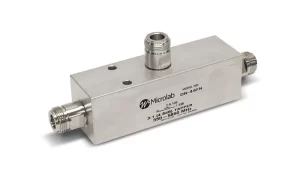
Signal Strength Impact
Signal strength is everything in RF systems—whether you’re streaming 4K TV, boosting 5G, or running a security camera network. The wrong signal distribution device can turn a strong 70 dBm signal into a barely usable 50 dBm mess. Splitters and couplers affect signal strength differently, and understanding exactly how much loss each introduces is key to avoiding poor performance.
”A 2-way splitter cuts signal power in half (3 dB loss), while a 4-way splitter drops it to 25% (6 dB loss). If your input is 65 dBm, a 4-way split leaves each output at ~59 dBm—close to the minimum for stable digital TV.”
Splitters always reduce signal strength because they divide power equally. A high-quality 2-way splitter might lose only 3.2 dB, but cheaper models can hit 4.5 dB. For a 1,000 MHz signal, this means each connected TV or modem gets 48% less power than the source. If you chain two 2-way splitters to feed four devices, total loss jumps to 7–10 dB, pushing weak signals into failure range.
Couplers, however, preserve most of the signal. A 10 dB coupler sends 90% of the power straight through, with only 10% tapped off for a secondary device. In a cellular repeater setup, this means the main antenna line keeps 95% of its original strength, while the monitoring port gets just enough for diagnostics. Even a 20 dB coupler (99% pass-through) only reduces the main signal by 0.5 dB, making it ideal for low-noise applications like satellite RF feeds.
Real-World Signal Drop Examples
- Splitter (4-way, 6 dB loss):
- Input: 72 dBm (excellent) → Outputs: 66 dBm (borderline for 4K streaming)
- Input: 62 dBm (fair) → Outputs: 56 dBm (unstable, pixelation likely)
- Coupler (10 dB, 0.5 dB loss):
- Input: 72 dBm → Main output: 71.5 dBm (near-zero impact)
- Tap output: 62 dBm (usable for low-power devices)
Frequency matters too. Splitters rated for 5–1,200 MHz might lose an extra 1–2 dB at 800 MHz due to impedance mismatches. Couplers, designed for tight-tolerance industrial use, typically hold ±0.2 dB variance across their entire range (e.g., 600–3,000 MHz).
”In a 5G mmWave setup (28 GHz), even a 3 dB loss can halve coverage distance. A splitter here could turn a 500-meter range into 250 meters—while a coupler would keep it at 490 meters.”
Cable length multiplies the problem. A 50-foot RG6 cable loses 3.5 dB at 1 GHz, so adding a 4-way splitter (6 dB loss) means 9.5 dB total drop. If your antenna outputs 65 dBm, devices at the end get 55.5 dBm—below the 58 dBm threshold for reliable LTE. Couplers avoid this by limiting losses to under 1 dB, making them critical for long-distance or high-frequency links.
Noise figure (NF) also degrades with splitters. A 4-way splitter can increase system noise by 4–6 dB, burying weak signals in static. Couplers, with NF under 1 dB, are preferred for low-signal environments like rural FM radio or IoT sensor networks.
When to Use Each
Choosing between a coupler and a splitter isn’t just about technical specs—it’s about real-world performance, budget, and signal conditions. A 10 splitter might work fine for a home TV setup, but a 150 directional coupler could save a 5G repeater system from failing at 300 meters. Here’s how to pick the right tool without wasting money or killing your signal.
| Scenario | Use a Splitter When… | Use a Coupler When… |
|---|---|---|
| Signal Strength | Input is >65 dBm (strong enough to handle 3–7 dB loss) | Input is <60 dBm (weak signals can’t afford major drops) |
| Number of Outputs | You need 2–8 equal-strength outputs (e.g., TVs in different rooms) | You need 1 main line + 1–2 low-power taps (e.g., monitoring or boosters) |
| Frequency Range | Operating below 1,200 MHz (standard cable/satellite TV range) | Operating above 1,500 MHz (5G, mmWave, high-precision RF) |
| Budget Constraints | Cost matters more than performance (splitters cost 5–20) | Signal integrity is critical (couplers run 30–200) |
| Cable Length | Runs are <50 feet (shorter cables minimize total loss) | Runs are >100 feet (every dB saved matters) |
| Noise Sensitivity | Noise figure (NF) isn’t a concern (e.g., digital TV) | Low-noise required (e.g., cellular, FM radio, IoT sensors) |
Splitter Use Cases
- Home TV Antennas: A 4-way splitter ($15) distributing a 70 dBm OTA signal to 4 TVs will leave each at ~64 dBm—enough for stable 1080p.
- Broadband Internet: ISPs often use 2-way splitters to share a 1,000 MHz cable signal between modem and TV boxes, losing 3.5 dB per leg.
- Low-Cost RF Projects: For short-range hobbyist links (e.g., 433 MHz sensors), splitters work fine if the transmitter outputs >50 mW.
Coupler Use Cases
- Cellular Repeaters: A 10 dB coupler in a 5G DAS system keeps the main signal at 98% strength while tapping off 2% for diagnostics.
- Satellite RF Feeds: Weak LNB signals (55–65 dBm) can’t afford a 6 dB splitter loss, so a 20 dB coupler (0.5 dB pass-through loss) is mandatory.
- Military/Aviation Comms: 700–6,000 MHz aircraft radios use couplers to avoid frequency drift caused by splitter impedance mismatches.
”In a stadium DAS installation, swapping a 25 splitter for a 80 coupler reduced signal drops from 40% to <5%, saving $12,000 in unnecessary amplifiers.”
When to Avoid Each
- Avoid Splitters If:
- Your input signal is <60 dBm (risking pixelation or dropouts).
- You’re splitting >4 ways (total loss exceeds 10 dB).
- Frequency is >2,500 MHz (splitters introduce phase errors).
- Avoid Couplers If:
- You need equal-power outputs (couplers are inherently unbalanced).
- Budget is under $30 (low-end couplers often have poor isolation).
- Setup is non-critical (e.g., temporary test rigs).
Hybrid Solutions Exist: For large venues, a cascade of couplers (e.g., 6 dB + 10 dB) can balance signal distribution better than a single 8-way splitter. In fiber-to-antenna systems, optical couplers (1.5 dB loss) outperform RF splitters by 4×.
Final Rule: If signal strength is marginal or frequency is high, spend extra on a coupler. If you’re splitting strong signals cheaply, a splitter does the job. Next time you’re setting up an antenna, check your dBm levels first—because guessing costs money.






